Aiarty has released workflow guidelines to help upscale low-resolution footage into 4K UHD output with reduced artifacts and improved visual quality.
CHENGDU, CHINA, May 28, 2026 /EINPresswire.com/ — Aiarty, a developer of AI-powered image and video enhancement solutions, has introduced a set of workflow guidelines for its flagship product, Aiarty Video Enhancer, aimed at improving performance and visual quality when upscaling low-resolution video to 4K.
While AI upscaling tools are widely used to convert SD and HD content into higher resolutions, Aiarty notes that output quality can vary significantly depending on workflow choices rather than automation alone.
“Users may expect a simple one-click conversion to 4K UHD, but the final visual results can vary depending on the condition of the original footage,” said Jack Han, CEO of Aiarty. “Content from DVDs, older cameras, or low-bitrate online sources typically requires different enhancement settings.”
The company’s internal testing across a range of materials, from 480p archival clips to 1080p HD recordings, has informed its recommended workflows for AI video upscaling to 4K, focusing on improving clarity while preserving natural motion and fine details.
Aiarty Highlights Key Workflow Practices for 4K Video Upscaling
In its latest guidance on 4K AI video upscaling, Aiarty identifies several important factors that influence the quality of AI-driven video upscaling, particularly for users looking to upscale low resolution video to 4K. Among them, three core considerations are emphasized as particularly impactful for achieving stable and natural results.
Selecting AI Models Based on Source Footage
Aiarty notes that 4K video upscaling depends not only on resolution scaling but also on selecting AI models based on the characteristics of the source footage, such as compression artifacts, noise, or loss of detail.
To address these variations, the company provides multiple AI models designed for different input conditions, allowing users to select and test options when upscaling low-resolution video to 4K:
• moDetail-HQ v2 – Ideal for footage where fine details matter. It enhances textures such as skin, fabric, and natural scenery while preserving balanced color, making it suitable for high-quality 4K upscaling where detail retention is critical.
• Smooth-HQ v2 – Best for compressed or artifact-heavy videos. It reduces blockiness and compression noise, producing a cleaner base frame that upscales more naturally to 4K resolution.
• superVideo vHQ – Designed and optimized exclusively for very dark, low-light, or high-grain nighttime footage, it is highly effective at upscaling noisy videos to 4K.
Using Progressive Upscaling for Degraded Footage
For heavily compressed or low-resolution video, such as 360p or 480p sources, Aiarty suggests that gradual upscaling workflows may help preserve visual consistency more effectively than direct conversion to 4K.
In such cases, a step-by-step scaling process, including multiple 2× passes, can reduce interpolation artifacts and maintain edge consistency. For higher-quality inputs, such as 720p footage, direct upscaling to 4K may be applied depending on the level of noise or blur present.
Balancing Enhancement Strength for Natural Results
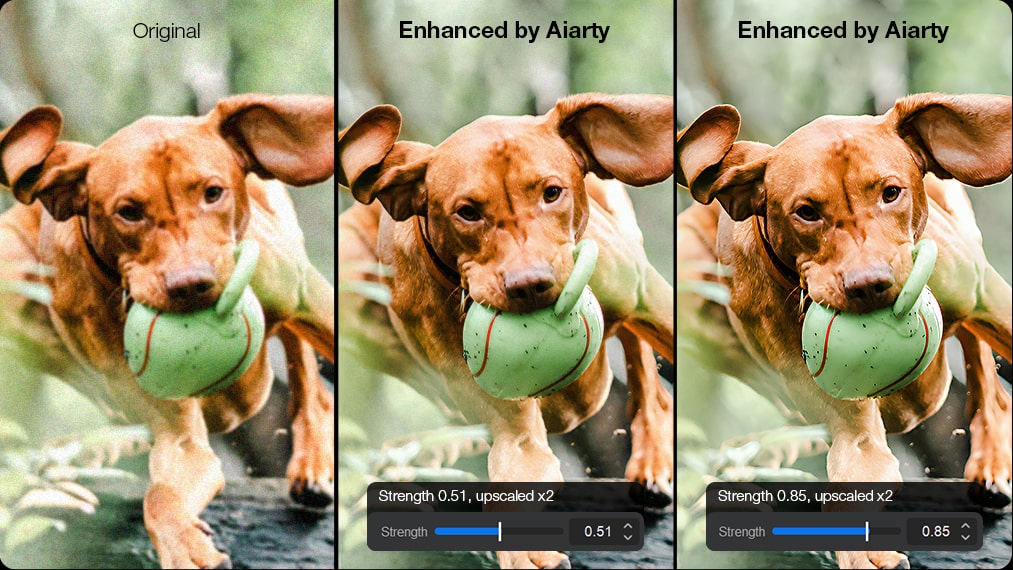
Another factor highlighted in the guidelines is the adjustment of enhancement intensity. According to Aiarty, overly aggressive processing can introduce artificial textures, while lower settings may better preserve visual characteristics.
Users can fine-tune strength levels depending on the condition of the source footage, allowing a balance between clarity and realism when producing 4K UHD output.
Additional Optimization Options for Advanced 4K Upscaling Workflows
Aiarty also provides optional advanced processing modes designed for more demanding 4K video upscaling workflows, particularly when handling high-resolution outputs or complex source material.
One such feature, Step Mode, uses tiled AI inference to improve consistency and memory efficiency during 4K upscaling tasks, helping maintain stable quality across large frames. Turbo Mode further optimizes the 4K upscaling pipeline by accelerating processing speed and refining export settings for better compatibility across different hardware environments.
Aiarty Video Enhancer also enhances the final 4K output through frame interpolation to 60fps, 90fps, and 120fps, improving motion smoothness and delivering a more natural viewing experience in fast-moving scenes such as sports, gameplay, or cinematic sequences.
“4K has become a widely used output target across video production workflows,” said Jack Han. “In practice, achieving higher-resolution output depends on more than upscaling resolution alone. It also involves workflow decisions such as model selection, processing settings, and artifacts handling across different types of source footage. The 4K upscaling guidelines are intended to reflect these variations rather than relying on a single default approach.”
Pricing and Availability
Aiarty is offering an anniversary mega sale with discounts of up to 50% off across its AI products.
• Aiarty Video Enhancer is currently available for a limited-time one-time payment of $165 (originally $235), including free lifetime updates and a license for up to 3 PCs or Macs.
• Bundled offerings, including Aiarty Image Enhancer and Aiarty Image Matting, are also eligible for discounts of up to 50%.
Creators can purchase Aiarty Video Enhancer individually or as part of bundled offers directly at https://www.aiarty.com/store.htm?ttref=w4bd-aive-zhh2605-enpr
About Aiarty
Aiarty is the AI-focused innovation brand from Digiarty Software, dedicated to developing cutting-edge multimedia solutions. With a talented team of passionate engineers dedicated to pushing boundaries, Aiarty develops cutting-edge AI tools meticulously crafted to elevate digital experiences worldwide.
About Digiarty Software
Digiarty Software, the developer of Aiarty, WinXDVD, and VideoProc, is a leading provider of multimedia software solutions for over 20 years. Renowned for their unwavering commitment to quality, performance, and customer satisfaction, Digiarty boasts a diverse software suite encompassing DVD backup, iPhone management, video transcoding, editing, and more. The comprehensive offering has garnered over 256 million software installations across 180 countries. To get more info about the company, please visit its official web page: https://www.aiarty.com/
Viola Nee
Digiarty Software Inc.
email us here
Visit us on social media:
LinkedIn
Instagram
Facebook
YouTube
TikTok
X
Legal Disclaimer:
EIN Presswire provides this news content “as is” without warranty of any kind. We do not accept any responsibility or liability
for the accuracy, content, images, videos, licenses, completeness, legality, or reliability of the information contained in this
article. If you have any complaints or copyright issues related to this article, kindly contact the author above.

Media gallery