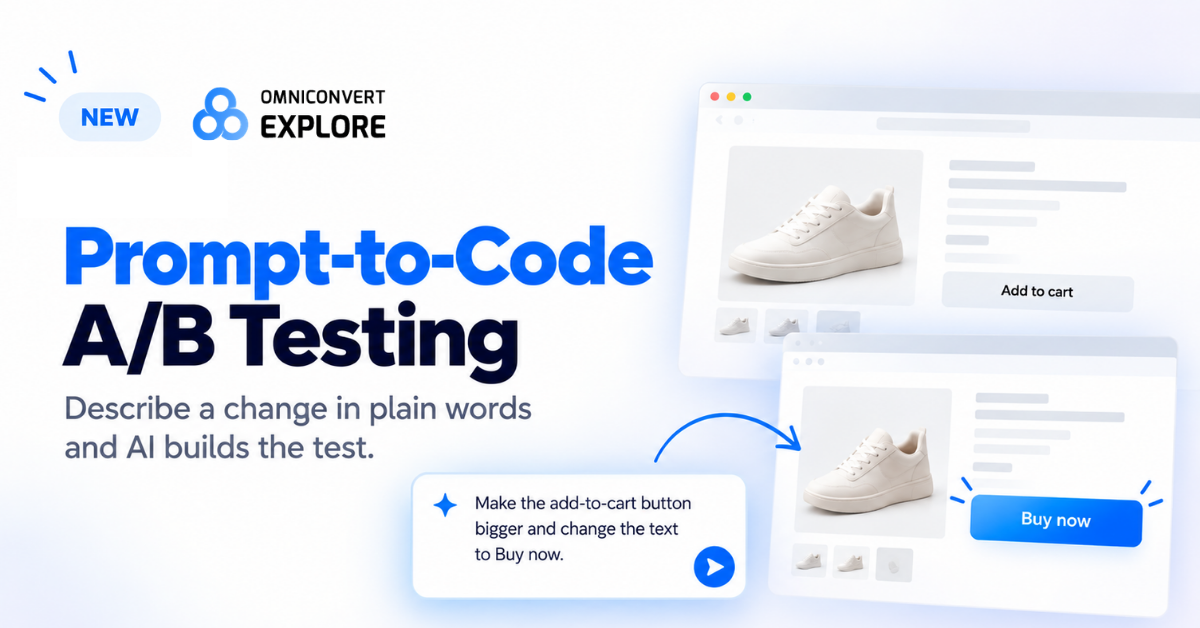
With prompt-to-code A/B testing in Omniconvert Explore, online stores can test website changes by typing what they want, with no need to wait for a developer.
NEW YORK, NY, UNITED STATES, October 20, 2026 /EINPresswire.com/ — New York, US, October 15, 2026 – Omniconvert has launched prompt-to-code A/B testing in Omniconvert Explore. Now anyone on an online store team can describe a website change in plain words. The new AI experiment builder then writes the code, checks its own work and sets up the test. No developer is needed, and no coding skills are required.
What is an A/B test?
An A/B test is a simple way to find out what works on a website. It shows two versions of the same page to different visitors. Version A is the page as it is today. Version B has one change, like a bigger “Buy” button or a new headline. After enough people visit, the store can see which version led to more sales.
Online stores use A/B tests to make better choices. Instead of guessing what shoppers want, they let real shoppers show them. Small changes can add up. A clearer button, a shorter form or a better product photo can help more visitors become buyers.
The problem: tests wait for developers
Most teams have plenty of ideas to test. The hard part is building them. Each new version of a page needs code. That job usually goes to a developer, and developers are busy with many other tasks. So test ideas wait in line for weeks, sometimes months. For small teams without a developer, many ideas never get tested at all.
While tests wait, the store keeps running pages that might not work as well as they could. Marketers lose time, and good ideas get forgotten. Prompt-to-code A/B testing is built to fix this one slow step: turning an idea into a working test.
How prompt-to-code A/B testing works
1. Type what you want to change. For example: “Make the add-to-cart button bigger and change the text to Buy now.”
2. The AI looks at your real page. It reads the page in your browser through the Explore Chrome extension, so it changes parts of the page that really exist.
3. It tells you its plan. It shows what it will change and what it will cost to build. Nothing happens until you say yes.
4. It writes the code and checks its work. It makes sure the change really shows up on the page.
5. You preview it. You see the new version on your live site, in a new tab, before any visitor does.
6. It sets up tracking. It adds goals and click tracking, so you can see which version wins.
7. You fine-tune it by chatting. Want a change? Just ask in the same chat, instead of sending a new request to a developer.
What teams can test
Teams can use plain words to ask for many common changes. They can resize or recolor a button, rewrite a headline, move a section higher on the page or add a message about shipping. Each request becomes a version that can be tested against the current page.
The AI experiment builder does not decide what to test. The team brings the idea. The AI does the building, so the team can spend more time on what matters: learning what their shoppers like.
People stay in charge
The AI does the building, but people make the decisions. You approve every change, and you choose when a test goes live. If a change can’t be made in full, none of it is made, so a page is never left half-changed. This keeps the process safe, simple and clear for everyone on the team.
The tool is also built for modern websites. Many online stores use pages that change as you click, without loading a new page. The AI experiment builder is designed to keep working on these pages. It is also built to avoid “flicker,” when visitors see the old page for a moment before the new version appears.
“Most teams already know what they want to test. What they don’t have is a developer’s time to build it,” said Valentin Radu, Founder and CEO of Omniconvert. “Now you just say what you want. The AI builds it, checks its own work and waits for you to say go. That means more tests, sooner, and faster answers about what works for your shoppers.”
A third way to build a test
Omniconvert Explore already offers two ways to build a test. The Visual Editor lets people point and click to change a page. The code editor lets developers write their own code. Prompt-to-code A/B testing adds a third way that sits in between. It gives non-technical teams the power of custom code, using only plain words.
All three ways work side by side. A marketer can start a test with a prompt, and a developer can still review or adjust the code later.
How to get started
Getting started takes only a few steps:
1. Log in to Omniconvert Explore, or create a free account.
2. Add the Explore Chrome extension to your browser.
3. Start a new A/B test and open the page you want to change.
4. Choose the AI experiment builder and type your idea in plain words.
From there, the AI shows its plan, builds the new version and waits for your approval. Most of the work that used to need a developer now happens in one short chat.
Available now
Prompt-to-code A/B testing is available today in Omniconvert Explore. It works with the Explore Chrome extension. Explore also has a free plan for up to 50,000 tested visitors a month. Learn more at https://www.omniconvert.com/explore/ or book a demo at https://www.omniconvert.com/book-a-call/.
About Omniconvert
Omniconvert helps online stores grow their sales. The company was founded in 2013 and is based in Bucharest, Romania. More than 2,500 brands have used its tools to run over 70,000 experiments. Its products include Omniconvert Explore for A/B testing, Omniconvert Pulse for customer feedback, and Nexus by Omniconvert, an AI ecommerce growth engine that helps online stores grow. Learn more at https://www.omniconvert.com.
Cristina Baraitarus
Omniconvert SRL
Legal Disclaimer:
EIN Presswire provides this news content “as is” without warranty of any kind. We do not accept any responsibility or liability
for the accuracy, content, images, videos, licenses, completeness, legality, or reliability of the information contained in this
article. If you have any complaints or copyright issues related to this article, kindly contact the author above.

Media gallery